Best Budget Mechanical Keyboards for Productivity and Gaming in 2026 The Complete Buyer’s Guide
Best Budget Mechanical Keyboards for Productivity and Gaming in 2026: The Complete Buyer’s Guide
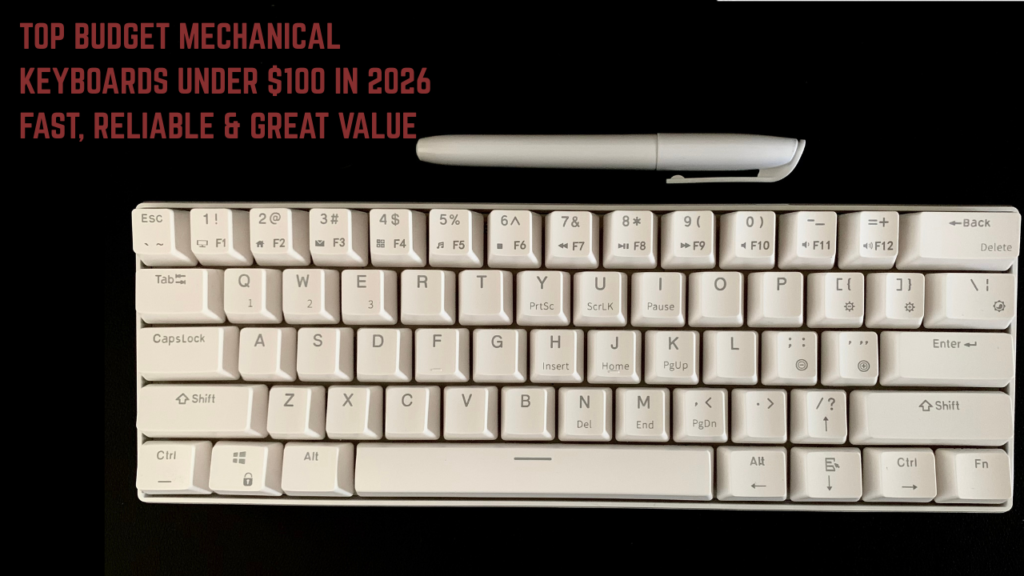
Mechanical keyboards have transformed from niche enthusiast hardware into mainstream computing tools — and in 2026, the budget mechanical keyboard market has reached a level of quality that makes premium typing and gaming performance accessible at prices that would have been unimaginable just five years ago.
Whether you are a writer who types thousands of words daily, a programmer who lives in their text editor, a gamer who needs precise actuation, or simply someone who wants a significantly better typing experience than a membrane keyboard provides — the right budget mechanical keyboard will genuinely transform your daily computing.
This guide covers the best budget mechanical keyboards for both productivity and gaming in 2026 — under $100, honestly reviewed, and matched to specific use cases and preferences.
Why Mechanical Keyboards Are Worth the Upgrade
Better typing feel: The tactile feedback and consistent actuation force of mechanical switches dramatically improves typing comfort and accuracy over membrane keyboards — reducing the mushing, bottoming-out, and inconsistency of rubber dome alternatives.
Durability: Quality mechanical switches are rated for 50–100 million keystrokes — compared to 5–20 million for membrane keyboards. A mechanical keyboard should outlast three to five membrane keyboards.
Customization: Mechanical keyboards offer switch swappability, keycap replacement, and programmability that membrane keyboards cannot match.
Reduced typing fatigue: The consistent actuation force and feedback of mechanical switches reduces the unconscious strain of long typing sessions — meaningful for writers, programmers, and anyone who types for hours daily.
Gaming performance: Anti-ghosting, N-key rollover, fast actuation, and precise reset points give mechanical keyboards genuine performance advantages for gaming.
Understanding Mechanical Switches: The Most Important Decision
Your switch choice determines the feel, sound, and performance of your keyboard. The three main categories:
Linear switches: Smooth, consistent keystroke from top to bottom with no tactile bump or click. Fast and quiet(er). Most popular for gaming.
- Popular options: Red switches (light, fast), Black switches (heavier, satisfying)
- Best for: Gaming, quiet offices, fast typing
Tactile switches: A noticeable bump mid-keystroke confirms actuation without a click sound. Most popular for typing and productivity.
- Popular options: Brown switches (light tactile), Clear switches (heavier tactile)
- Best for: Typing, programming, mixed use
Clicky switches: Tactile bump plus an audible click at actuation. The most satisfying typing feel — and the loudest option.
- Popular options: Blue switches (light), Green switches (heavier)
- Best for: Typing enthusiasts, home use where noise is not a concern
Budget switch alternatives to Cherry MX:
- Gateron: Chinese manufacturer producing smooth, often preferred switches at lower cost. Excellent value.
- Kailh: Another quality Chinese switch maker with innovative designs.
- TTC: Growing reputation for quality at budget prices.
- Outemu: Budget-friendly, basic quality — found in entry-level keyboards.
The honest advice: For first-time mechanical keyboard buyers — tactile switches (brown equivalent) offer the broadest appeal. They provide typing feedback without being as loud as clicky switches and are faster than the bottoming-out style that gamers using linear switches develop. If you are primarily a gamer, red/linear switches are the mainstream choice.
Best Budget Mechanical Keyboards Under $100 in 2026
1. Keychron K2 Pro — Best Overall Budget Mechanical Keyboard
Price: $79–$99 Layout: 75% (84 keys) Switches: Gateron G Pro Red/Brown/Blue (hot-swappable) Connectivity: Bluetooth 5.1 + USB-C wired Backlight: RGB Weight: 800g
The Keychron K2 Pro is the best all-round budget mechanical keyboard in 2026 — combining wireless connectivity, hot-swappable switches, a compact 75% layout that retains arrow keys and function row, and excellent build quality at under $100.
Key features:
- Hot-swappable PCB — change switches without soldering
- Bluetooth 5.1 with multi-device pairing (up to 3 devices)
- USB-C wired mode (disable Bluetooth for zero-latency wired gaming)
- RGB backlighting with per-key customization
- Compatible with Mac and Windows (keycaps for both included)
- 4000mAh battery — weeks of use between charges
- Aluminum frame for premium feel
- Available with south-facing RGB LEDs (better for shine-through keycaps)
Why it is the best overall:
The hot-swap capability is the most important feature at this price point. Hot-swap sockets allow you to pull out and replace switches without soldering — meaning you can try different switch types, replace worn switches, or upgrade to premium switches (like Boba U4 or Gateron Ink) as your preferences evolve. This single feature dramatically extends the keyboard’s useful life.
The wireless + wired dual connectivity makes it genuinely versatile — connect wirelessly to your Mac for work, switch to wired USB-C for gaming with zero latency. Multi-device Bluetooth pairing allows switching between a laptop and tablet with a keystroke.
Keychron’s build quality at this price is exceptional — the aluminum frame, stabilizer tuning, and overall construction feel significantly more premium than the price suggests.
What it lacks:
- No dedicated numpad (75% layout)
- Bluetooth can have very slight latency in demanding competitive gaming (use wired mode for gaming)
- Some wobble on the spacebar stabilizer out of the box (easily fixed with stabilizer lubing)
Best for: The best single keyboard for productivity AND gaming — the dual connectivity, hot-swap, and build quality make it suitable for both use cases without compromise.
2. Royal Kludge RK68 — Best Compact Wireless Budget Keyboard
Price: $39–$59 Layout: 65% (68 keys) Switches: RK Red/Brown/Blue Connectivity: Bluetooth 5.0 + USB-C wired Backlight: RGB Weight: 680g
The Royal Kludge RK68 is the most impressive budget wireless mechanical keyboard available — delivering Bluetooth connectivity, a compact 65% layout, and RGB backlighting at a price that makes premium features genuinely accessible.
Key features:
- Bluetooth 5.0 with 3-device pairing
- USB-C wired connectivity
- RGB backlighting
- Compact 65% layout with arrow keys (no function row, no numpad)
- 3000mAh battery
- Windows and Mac compatibility
- Available in multiple switch options
Why budget-conscious users love it:
Under $60 for a wireless mechanical keyboard with multi-device Bluetooth, RGB backlighting, and decent switch options is extraordinary value. The RK68 makes wireless mechanical keyboard ownership accessible to those who previously could not justify the price.
The 65% layout retains the arrow keys that many users find non-negotiable for productivity while removing the function row and numpad — creating a compact footprint that leaves more desk space for mouse movement.
The Bluetooth multi-pairing is reliable and practical — switching between devices takes a keystroke.
What it lacks:
- RK proprietary switches are not as smooth as Gateron equivalents
- No hot-swap capability — switch replacement requires soldering
- Build quality is notably less premium than Keychron at a lower price point
- Stabilizers are rattly out of the box and benefit from improvement
Best for: Budget-conscious users who want wireless flexibility, college students with limited desk space, and anyone for whom the $39–$59 price point is the primary consideration.
3. Epomaker TH80 Pro — Best Budget Gaming Keyboard
Price: $69–$89 Layout: 75% (80 keys) Switches: Gateron G Pro Red/Brown/Blue (hot-swappable) Connectivity: Bluetooth 5.0 + 2.4GHz wireless + USB-C Backlight: RGB Weight: 930g
The Epomaker TH80 Pro is the best budget keyboard specifically for gamers — with tri-mode connectivity including 2.4GHz wireless (the low-latency wireless connection that competitive gamers require), hot-swappable switches, and a gasket-mount construction that dramatically improves typing feel at this price.
Key features:
- Tri-mode connectivity: 2.4GHz wireless + Bluetooth 5.0 + USB-C wired
- Gasket-mount construction — keys have a softer, more satisfying “bounce” feeling
- Hot-swappable south-facing PCB
- RGB backlighting with per-key control
- 75% layout with dedicated arrow keys and function row
- Silicone dampening layer for reduced sound
- Battery: 4000mAh
Why gamers choose it:
The 2.4GHz wireless connection is the critical feature for gaming. Bluetooth has inherent latency variability that makes it unsuitable for competitive gaming. 2.4GHz wireless provides near-wired response times — the same technology used in premium gaming mice and keyboards costing $150+.
The gasket-mount construction is typically found in keyboards costing $150–$300. It suspends the PCB in a gasket rather than screwing it directly to the case — creating a softer, more flexible typing experience with better sound characteristics. For a gaming keyboard under $90, this is a remarkable feature.
Hot-swap capability ensures switch flexibility for gaming optimization — try light linear switches for fast gaming, swap to tactile switches for productivity sessions.
What it lacks:
- Heavier than some alternatives (930g) due to the gasket construction
- Less widely available than Keychron
- 2.4GHz dongle adds a USB slot requirement
Best for: Gamers who want wireless performance without wired-level latency compromise, and those who want the premium gasket-mount feel at a budget price.
4. Logitech G413 SE — Best Mainstream Brand Budget Mechanical Keyboard
Price: $49–$69 Layout: Full size (105 keys) Switches: Logitech Tactile (similar to tactile brown) Connectivity: USB wired Backlight: White backlight Weight: 1.04kg
The Logitech G413 SE is the most accessible entry point from a mainstream brand — providing Logitech’s reliability, a full-size layout, and tactile switches at the lowest price point from a globally trusted gaming brand.
Key features:
- Full-size layout with numpad — essential for those who use numbers frequently
- Logitech Tactile switches — light, tactile feedback
- Aircraft-grade aluminum top case
- White backlighting (not RGB — the trade-off for the price)
- USB pass-through port for charging devices
- Logitech software compatibility (G Hub)
- 5-year warranty
Why mainstream brand buyers love it:
Logitech’s brand reliability is meaningful for those who are sceptical of less-known manufacturers. The G413 SE provides the confidence of a globally trusted gaming brand at a genuinely budget price point.
The full-size layout is important for users who rely on the numpad — data entry professionals, spreadsheet users, and those accustomed to full-size keyboards.
The aircraft-grade aluminum top case provides a durability and aesthetic premium that distinguishes it from full-plastic budget alternatives.
The USB pass-through port for device charging is a practical quality-of-life addition.
What it lacks:
- Wired only — no wireless option
- White backlight only — no RGB customization
- Switches are not hot-swappable
- Logitech Tactile switches are decent but not exceptional compared to Gateron alternatives
Best for: Mainstream brand loyalists, full-size layout users, those who need a numpad, and anyone who values brand trust and warranty over enthusiast features.
5. Redragon K552 Kumara — Best Ultra-Budget Mechanical Keyboard
Price: $29–$45 Layout: Tenkeyless (87 keys) Switches: Outemu Red/Brown/Blue Connectivity: USB wired Backlight: RGB Weight: 950g
The Redragon K552 is the best mechanical keyboard under $45 — making the mechanical keyboard experience accessible at the lowest possible price point.
Key features:
- Tenkeyless layout (no numpad, retains function row and arrow keys)
- Outemu switches (budget alternative to Cherry MX)
- RGB backlighting with multiple lighting effects
- Compact metal top plate
- Removable USB cable (practical for transport)
- Windows and Mac compatibility
- N-key rollover for gaming
Why budget buyers love it:
Under $45 for a mechanical keyboard with RGB backlighting and a metal top plate is extraordinary value. The Redragon K552 provides the fundamental mechanical keyboard experience — tactile or linear switches, RGB lighting, N-key rollover for gaming — at a price that removes all financial barriers to entry.
The Outemu switches are less smooth than Gateron or Cherry MX equivalents but are functionally adequate for the price point. The tactile bump of Outemu brown is noticeable and satisfying for first-time mechanical keyboard users.
What it lacks:
- Outemu switches are audibly scratchy compared to premium alternatives
- No wireless option
- No hot-swap capability
- Stabilizers are relatively rattly and benefit from modding
- Build quality is functional but clearly budget-tier
Best for: Complete beginners testing mechanical keyboards for the first time, those on the tightest budgets, and young gamers as a first mechanical keyboard.
6. Nuphy Air60 V2 — Best Ultra-Compact Budget Keyboard
Price: $79–$99 Layout: 60% (61 keys) Switches: Gateron Low Profile Red/Brown/Blue Connectivity: Bluetooth 5.0 + USB-C Backlight: RGB Weight: 395g
The Nuphy Air60 V2 is the most unique keyboard on this list — using Gateron low-profile switches to create an extraordinarily slim, portable mechanical keyboard that rivals the feel of laptop keyboards while providing genuine mechanical switch performance.
Key features:
- Low-profile Gateron switches — 3.5mm total travel (vs 4mm standard)
- 395g weight — the lightest keyboard on this list by a significant margin
- Ultra-slim profile (13.5mm at thickest point)
- Bluetooth 5.0 multi-device + USB-C
- 60% layout for maximum compactness
- RGB backlighting
- Hot-swappable PCB
- Compatible with standard keycap replacements
Why portable users love it:
For those who travel with a keyboard, work from multiple locations, or prefer a desk setup with minimal footprint — the Air60 V2’s 395g weight and ultra-slim profile is genuinely transformative. It fits in a jacket pocket and travels to any location without meaningful weight addition.
The low-profile Gateron switches provide a mechanical typing experience that bridges the gap between laptop keyboards and traditional mechanical keyboards — familiar to laptop users but with genuine mechanical feedback.
Hot-swap capability at this weight and price point is impressive — swap between low-profile switch types without soldering.
What it lacks:
- 60% layout requires function layer for F-keys, arrows, and numpad (learning curve)
- Low-profile switches have less travel than standard mechanical switches — some users find them less satisfying
- Less typing “thock” than standard height keyboards due to slim construction
Best for: Travelers, minimalist desk setups, MacBook users who want a better keyboard without bulk, and anyone who wants the most portable mechanical keyboard available.
7. Akko 3087DS — Best for Typing and Programming
Price: $59–$79 Layout: Tenkeyless (87 keys) Switches: Akko CS Jelly (various) — pre-lubed from factory Connectivity: USB-C wired Backlight: RGB Weight: 820g
The Akko 3087DS brings factory pre-lubed switches to a budget keyboard — a feature typically requiring $15–$30 of additional investment and 30 minutes of labour to achieve on competing keyboards.
Key features:
- Akko CS Jelly switches — factory pre-lubed for smoother, quieter typing
- Double-shot PBT keycaps (more durable, less shine-through than ABS)
- Tenkeyless layout
- USB-C detachable cable
- RGB backlighting
- Sound dampening foam included
- Multiple colourway options
Why typing enthusiasts love it:
Factory pre-lubed switches are the most meaningful differentiator at this price point. Switch lubing — applying lubricant to switch stems and housings to reduce friction and improve sound — is the most common keyboard modification enthusiasts perform. Having it done from the factory saves time and money while delivering noticeably smoother, quieter typing than unlubed alternatives.
Double-shot PBT keycaps are more durable and have a more premium feel than the ABS keycaps found on most budget keyboards. PBT legends do not wear off and do not develop shine from finger oils over time.
The included sound dampening foam reduces the hollow, empty sound that cheaper keyboards produce — resulting in a deeper, more satisfying typing sound.
What it lacks:
- Wired only — no wireless option
- No hot-swap capability on base model (hot-swap version available at higher price)
- Akko CS switches, while excellent pre-lubed, are not as widely available for individual replacement as Cherry MX compatible switches
Best for: Typing enthusiasts, programmers, and writers who spend most of their computing time typing and want the best out-of-box typing experience under $80.
Budget Mechanical Keyboard Comparison Table
| Keyboard | Price | Layout | Switches | Wireless | Hot-Swap | Best For |
|---|---|---|---|---|---|---|
| Keychron K2 Pro | $79–$99 | 75% | Gateron G Pro | Bluetooth 5.1 | Yes | Best overall |
| Royal Kludge RK68 | $39–$59 | 65% | RK proprietary | Bluetooth 5.0 | No | Best wireless value |
| Epomaker TH80 Pro | $69–$89 | 75% | Gateron G Pro | 2.4GHz + BT | Yes | Best for gaming |
| Logitech G413 SE | $49–$69 | Full | Logitech Tactile | No | No | Best mainstream brand |
| Redragon K552 | $29–$45 | TKL | Outemu | No | No | Best ultra-budget |
| Nuphy Air60 V2 | $79–$99 | 60% | Gateron Low Profile | Bluetooth 5.0 | Yes | Best portable |
| Akko 3087DS | $59–$79 | TKL | Akko CS (pre-lubed) | No | No | Best for typing |
Choosing the Right Layout for Your Needs
Full size (100%): All keys including numpad. Best for data entry, spreadsheet users, those accustomed to full layouts.
Tenkeyless/TKL (80%): Full size without numpad. Best balance of functionality and desk space. Most popular for gaming.
75%: Function row and arrows retained, no numpad, slightly compressed layout. Compact but functional — the most popular enthusiast layout.
65%: Arrow keys retained, no function row or numpad. Minimal footprint with essential keys.
60%: No arrow keys, function row, or numpad. All functionality accessed via function layer. Smallest popular layout — maximum desk space, steepest learning curve.
The recommendation for beginners: Start with TKL or 75%. These layouts remove the numpad (which most people use rarely) while retaining all the keys you use daily. Upgrade to a more compact layout once you know your preferences.
Budget Keyboard Modifications Worth Doing
Even budget keyboards can be improved significantly with simple, low-cost modifications:
Band-aid mod ($0): Apply a small piece of electrical tape or bandage to the PCB under the spacebar switch. Reduces the metallic ping of spacebar stabilizers. Takes 5 minutes.
Stabilizer lubing ($8–$15 for lubricant): Applying lubricant to stabilizer wires and housings eliminates rattling on larger keys (spacebar, enter, shift). The single most impactful modification for typing sound and feel.
Desk mat ($15–$30): A large desk mat dampens the sound of the keyboard and mouse simultaneously — creating a noticeably quieter, more refined typing environment.
PBT keycap replacement ($20–$50): Replace ABS keycaps with PBT equivalents for better feel, better legends, and longer-lasting appearance.
O-ring dampeners ($5–$10): Small rubber rings placed on switch stems reduce bottoming-out noise and slightly reduce key travel.
Our Top Recommendations
For most users: Keychron K2 Pro — the hot-swap, wireless, and build quality combination makes it the most versatile and future-proof budget mechanical keyboard available.
For pure gaming: Epomaker TH80 Pro — the 2.4GHz wireless and gasket mount make it the best gaming-focused budget keyboard available.
For the tightest budget: Redragon K552 — gets you into mechanical keyboards for under $45.
For typists and programmers: Akko 3087DS — factory pre-lubed switches and PBT keycaps make it the best out-of-box typing experience under $80.
For portability: Nuphy Air60 V2 — nothing else combines mechanical switches, wireless, and this level of portability under $100.
Final Thoughts
The budget mechanical keyboard market in 2026 has reached a point where genuinely excellent keyboards are available at prices that make the upgrade from membrane keyboards an easy decision. Hot-swap sockets, wireless connectivity, gasket mounts, and factory-lubed switches — features that cost $150–$300 just a few years ago — are now accessible under $100.
The Keychron K2 Pro is the single best recommendation for most users — its combination of wireless flexibility, hot-swap capability, quality Gateron switches, and reliable Keychron build quality makes it the most complete budget mechanical keyboard available today.
Whatever you choose — the step from a membrane keyboard to a mechanical keyboard is one of those computer setup upgrades that is immediately and obviously transformative. Your fingers will thank you.
Find your switches. Feel the difference. Never go back.